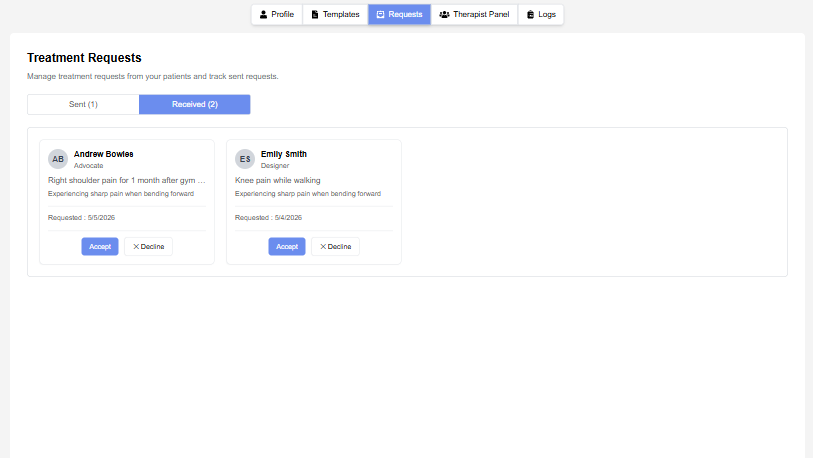
The Treatment Requests page allows users to manage treatment requests exchanged between therapists and patients.
The page provides separate sections for sent and received requests, enabling users to track request status and manage treatment approvals efficiently.
Request Tabs #
The page is divided into two tabs:
Available Tabs: #
- Sent Requests
- Received Requests
Each tab displays the total number of requests available in that category.
Sent Requests #
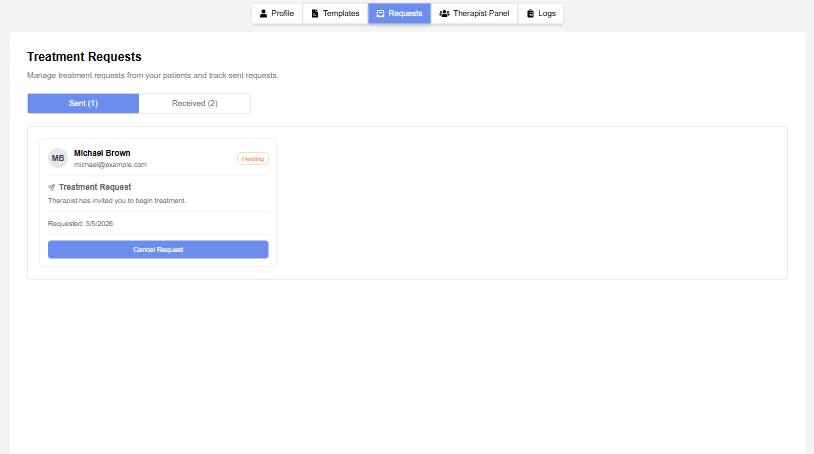
The Sent Requests section displays treatment requests sent by the therapist.
Information Displayed: #
- Patient name
- Email address
- Request date
- Request status
Features: #
- Status badge display:
- Pending
- Approved
- Rejected
- Cancelled
Available Actions: #
- Cancel Request
This section allows therapists to track outgoing treatment invitations.
Received Requests #
The Received Requests section displays treatment requests received from patients.
Information Displayed: #
- Patient name
- Occupation
- Presenting complaint
- Request date
- Request status
Available Actions: #
- Accept Request
- Decline Request
This section helps therapists review and respond to incoming treatment requests.