The Sessions & Appointments Overview page provides a consolidated view of all session-related activities, including upcoming appointments, session trends, and completed session history.
It enables users to manage schedules, monitor session performance, and review past interactions efficiently.
Upcoming Appointments #
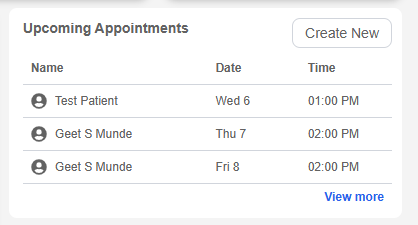
The Upcoming Appointments section displays a list of scheduled future meetings.
Information Displayed: #
- Patient Name
- Appointment Date
- Appointment Time
Features: #
- Displays limited upcoming appointments
- “Create New” button to schedule a session
- “View More” option to access full schedule
This section helps users stay organized and prepared for upcoming sessions.
Session Tracking #
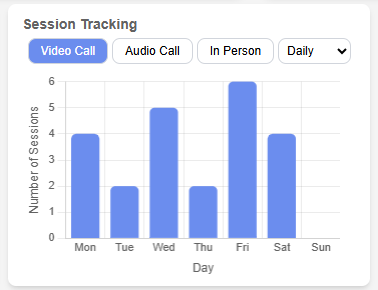
The Session Tracking section visualizes session activity over time.
Filters Available: #
- Session Type:
- Video Call
- Audio Call
- In-Person
- Timeframe:
- Daily
- Weekly
- Monthly
Features: #
- Bar chart representation of sessions
- Dynamic updates based on selected filters
This section provides insights into session trends and usage patterns.
Sessions Table #
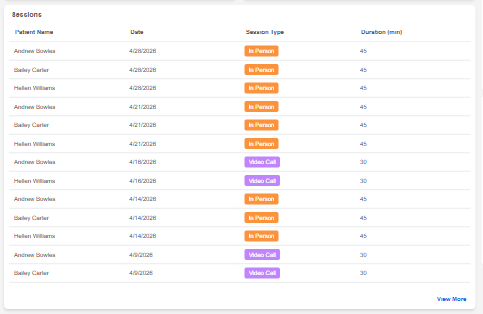
The Sessions table displays completed session records.
Columns: #
- Patient Name
- Date
- Session Type
- Duration (minutes)
Behavior: #
- Displays only past sessions
- Sorted by most recent first
- Limited number of entries shown
- Maintains UI consistency with empty placeholder rows
- “View More” option for full session history
This section allows users to quickly review recent session activities.
Sessions Page Navigation #
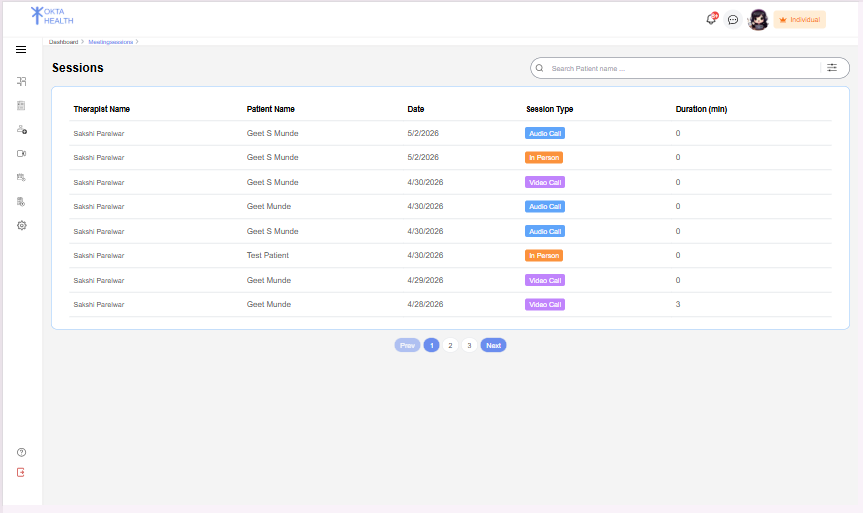
The Sessions page displays a complete list of all session records, including therapist details, patient information, session type, and duration.
It allows users to view and manage session history in a structured format.
Navigation from Dashboard #
From the Dashboard page, users can access the full sessions list.
Behavior: #
- A “View More” button is displayed below the Sessions table
- When the user clicks the “View More” button:
- The system redirects the user to the Sessions page
Sessions Page Features #
- Displays all session records (not limited like dashboard)
- Includes:
- Therapist Name
- Patient Name
- Date
- Session Type
- Duration
- Supports pagination for large data sets
- Allows users to browse through complete session history
This navigation enables users to move from a summarized dashboard view to a detailed session management interface.