The Your Therapist section helps patients connect with therapists for treatment and therapy management.
After completing onboarding and profile setup, patients can send a treatment request to a therapist. Once the request is accepted, the therapist can access the patient’s treatment-related information and manage therapy sessions through the therapist application.
Searching for a Therapist #
Patients can search for therapists using the Search icon available at the top-right corner of the screen.
Steps to Send a Therapist Request #
- Open the Your Therapist section
- Click the Search icon

- Search using the therapist’s name
- Select the therapist from the list
- Click Send Request
Once accepted, the therapist will be linked with the patient account.
Therapist Requests #
Therapists can also send connection requests directly to patients. This reduces the need for therapists to manually enter patient details into their system.
Patients can manage both:
- Sent Requests
- Received Requests
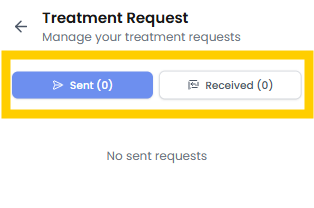
from the Envelope icon available at the top-right corner of the therapist section.