The Therapist Control Panel allows administrators to manage therapists and view their assigned patients within the organization.
The page provides therapist management, patient assignment visibility, and therapist-specific patient insights.
Therapist List #
The main section displays a list of all therapists within the organization.
Information Displayed: #
- Therapist Name
- Therapist Email
- Therapist ID
- Assigned Patient Count
Each therapist row is clickable and redirects to the therapist details page.
Add New User #
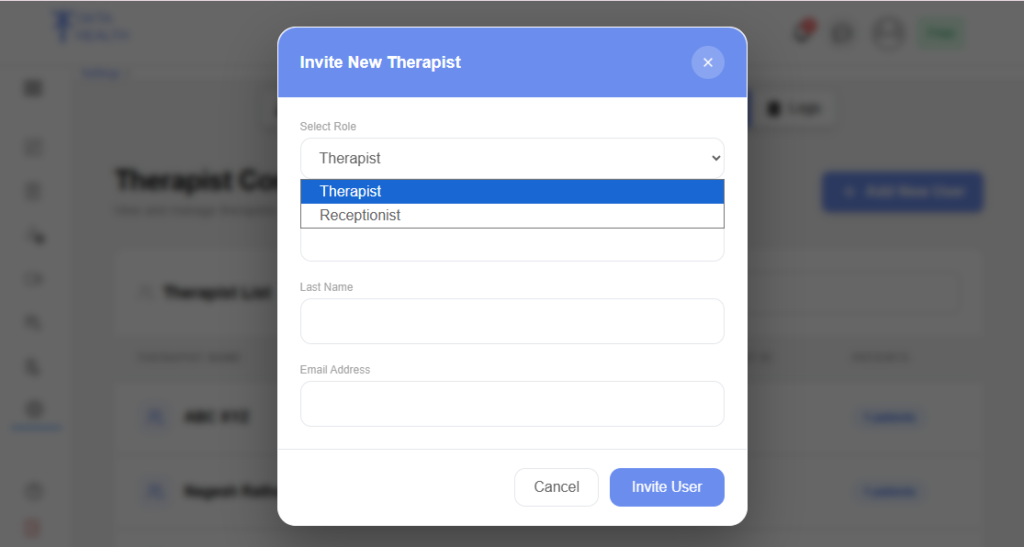
Administrators can invite new users directly from the control panel.
Features: #
- “Add New User” button
- Invite user modal popup
- Role selection:
- Therapist
- Receptionist
Required Fields: #
- First Name
- Last Name
- Email Address
This feature helps administrators manage organization users efficiently.
Therapist Details Page #
The Therapist Details page displays detailed therapist information along with assigned patients.
Therapist Information: #
- Therapist Name
- Email Address
- Therapist ID
This section provides an overview of therapist-related information.
Patient List #
The Patient List section displays all patients assigned to the selected therapist.
Information Displayed: #
- Patient Name
- Presenting Complaint
- Email Address
- Patient ID
This section helps administrators monitor therapist-patient assignments.
Expanded Patient Details #
Users can expand a patient row to view detailed patient insights.
Information Displayed: #
- Treatment Progress
- Demographics
- Upcoming Appointments
- Assigned Therapist
- Sessions Completed
- Total Sessions
- Treatment Plans
- Plan Status
This provides a quick overview of patient progress and treatment activity.